
Get Your .pk Domain at the Best PKNIC Price Rs 4149.05


Rs 4,149.05
The .pk domain is the official country code top-level domain (ccTLD) reserved for the Islamic Republic of Pakistan. At Tricasol, we provide a seamless PKNIC domain registration process for both local businesses and international brands. It is an excellent choice for anyone targeting a Pakistani audience with a professional and recognized web presence.
Domain registration for .pk must be done for a minimum of two years, with the option to renew. The maximum registration period allowed by the registry is 10 years. Anyone holding a Pakistani CNIC card is eligible to register a .pk domain. International users can also register this domain, though it comes at a higher cost compared to those with Pakistani addresses.


We recommend the PKNIC Prepaid Card because it makes registering and managing .pk domains in Pakistan simple and easy. You can use this card to buy or renew your domains without needing a credit card or online payments. It’s a convenient choice, especially for people and businesses in Pakistan, allowing you to handle your domains smoothly without extra costs.
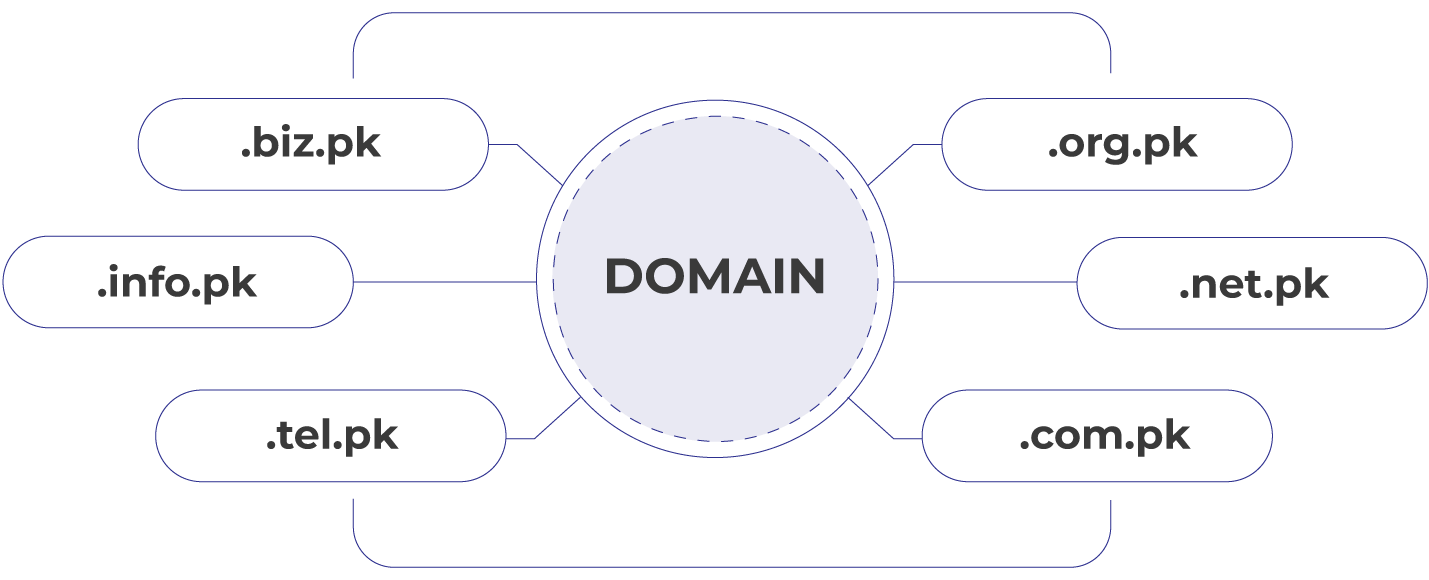
Search for Your Desired Domain: Use the domain search tool to check if your preferred .pk domain is available. Enter the domain name you want and hit “Search.”
Select Your Domain: Choose the .pk domain from the search results that suits your needs. If it’s available, click “Register.”
Create an Account or Log In: If you’re a new user, you’ll need to create an account. Existing users can simply log in.
Enter Your Details: Fill out the required registration information, including your contact details and domain ownership information.
Review and Confirm: Double-check all the details you’ve entered. Ensure everything is correct before proceeding.
Make Payment: Choose your preferred payment method and complete the payment process.
Receive Confirmation: After successful registration, you’ll receive a confirmation email with details about your new .pk domain.


The .pk domain is versatile and can be registered for personal use, commercial businesses, educational institutions, informational sites, and more. If you’re planning to reach a Pakistani audience through a blog or business website, this domain suffix is an ideal choice to reflect your local presence.
PKNIC prepaid cards offer several benefits, including enhanced security by avoiding the need to input credit card details online, convenience by providing a preloaded balance for easy transactions, and control over spending by limiting purchases to the card’s value. They are also a great option for users without access to traditional banking or online payment methods.
PKNIC cards are prepaid cards used for domain registration and renewal with PKNIC, the registrar for .pk domain names. These cards come with a unique code that you use to pay for domain services. To use a PKNIC card, simply log in to your PKNIC account, select the domain you want to manage, and choose the prepaid card as your payment method. Enter the card’s code when prompted, and the amount will be applied to your account balance. This process makes it easy to handle domain payments without needing a credit card or bank transaction.
No, you cannot use PKNIC cards to register a .com domain. PKNIC cards are specifically for registering .pk domains, which are meant for websites in Pakistan. To register a .com domain, you’ll need to use an international domain registrar and pay with other methods like a credit card or PayPal.
Keep your PKNIC prepaid card code private and use it only through the official PKNIC payment process. Do not share the code publicly. If you have a payment or card issue, contact PKNIC or the seller with your purchase details.
PKNIC prepaid cards are not typically used for domain transfers. They are primarily for domain registration and renewal. For transferring a .pk domain, you will need to follow PKNIC’s domain transfer procedures and payment methods.
PKNIC charges for .PK domains in two-year periods. Your domain renewalshould follow this billing cycle. Before paying, check the renewalperiod, total amount, and updated expiry date shown on your invoice or account.


